


Automating an AI Newsletter with n8n: A Story From Chaos to Clarity
On a rainy Tuesday night, Mia stared at the blinking cursor in her newsletter editor. She was the content lead at a fast-growing AI startup, and her weekly AI newsletter had quietly become a core part of the brand. Thousands of subscribers. High expectations. Zero time.
Her problem was not finding AI news. It was drowning in it.
Slack channels full of links, markdown notes in storage buckets, tweet threads bookmarked “for later” that never came. Each edition took hours of manual curation, copy-pasting, summarizing, and formatting. The structure had to stay consistent, the sources had to be traceable, and nothing could slip through the cracks.
After another 3-hour editing session, Mia realized this was not sustainable. She needed a pipeline, not a patchwork of tabs. That is when she discovered an n8n workflow template called “Content – Newsletter Agent”, built specifically to automate AI newsletter production while keeping humans in the loop.
The Pain: Why Mia Needed Newsletter Automation
Mia’s weekly process looked like this:
- Dig through markdown files and tweets to find recent AI news
- Manually filter out old content and previous newsletter items
- Summarize each story in a consistent Axios-style format
- Send drafts to Slack, collect feedback, and rewrite subject lines
- Assemble everything into a single markdown file for publishing
Every edition meant hours of repetitive work. She worried about:
- Time: Curating timely AI news consumed entire afternoons
- Consistency: The structure and tone varied when she was rushed
- Traceability: Tracking identifiers and external links was messy
She did not want a fully “hands-off” AI newsletter. She wanted a reliable workflow that handled the grunt work while keeping her editorial judgment at the center. That balance of automation and human oversight is exactly what the n8n “Content – Newsletter Agent” template promised.
The Discovery: A Newsletter Agent Built on n8n
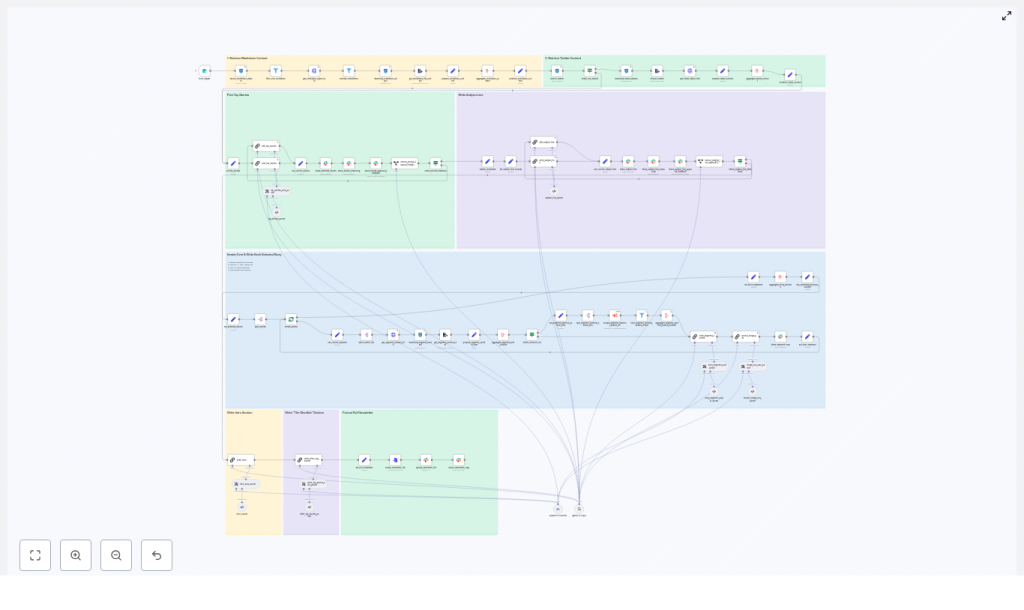
Mia opened the template overview and immediately noticed how the workflow was structured into clear layers. It was not just a chain of random nodes. It was an architecture designed for repeatable content production:
- Content ingestion: Locate markdown files and tweets in R2/S3 for a chosen date
- Filtering and enrichment: Remove irrelevant or prior newsletter content, fetch metadata, and extract text
- Story selection: Use a LangChain-driven node to pick four top stories
- Segment writing: Generate Axios-style sections for each selected story
- Editorial loop and assets: Coordinate approvals in Slack and export a ready-to-send markdown file
For the first time, Mia could see her chaotic manual process reflected as a structured automation pipeline. So she decided to test it on her next issue.
Rising Action: Mia’s First Run With the Template
Starting the Workflow: The Form Trigger
The morning of her next edition, Mia opened n8n and triggered the workflow with a simple form. It asked for:
- The newsletter date, which would define the scope of content
- Optional previous newsletter text, so the system could avoid repeating stories
Behind the scenes, that date parameter told the workflow where to look in the data-ingestion bucket in R2/S3. Nodes performed a prefix search to list all files for that day, then filtered them to keep only markdown objects. The process that used to mean endless folder browsing now happened in seconds.
Metadata, Tweets, and the Hidden Details
Next, Mia watched the logs as the workflow handled each markdown artifact:
- It called an internal admin API to fetch file metadata like type, authors, and
external-source-urls - It downloaded each file and extracted the raw text for analysis
At the same time, a parallel path kicked in for tweets. The workflow searched for tweet objects, downloaded them, and mapped them into canonical tweet URL formats. All of Mia’s scattered tweet references were suddenly normalized and ready for curation.
Keeping the Past in the Past: Dedupe Logic
Mia had always worried about accidentally repeating a story she had covered before. The template addressed that too.
A filter node checked each incoming item’s metadata to:
- Exclude files already marked as newsletter-type content
- Compare against the “Previous Newsletter Content” she had supplied to avoid duplicate coverage
Her fear of “Did I already write about this?” disappeared. The workflow handled it automatically.
The Turning Point: Letting an LLM Pick the Top Stories
Handing Curation to a LangChain Node
Then came the moment Mia was most skeptical about: letting an LLM help choose the top stories.
The workflow used a LangChain-driven node that received a combined batch of markdown and tweet content. Instead of returning a messy blob of text, the node was primed with a long, strict prompt that defined:
- The audience and editorial style
- Selection constraints, such as picking exactly four top stories
- An exact JSON schema for the output
The result was a structured response containing:
- Story titles
- Summaries
- Identifiers
- External links
Instead of spending an hour deciding which pieces to feature, Mia reviewed a clean, machine-curated shortlist that already respected her editorial rules.
Deep Dive Per Story: Aggregation and Context
Once the four stories were selected, the workflow split them into batches and processed each one in turn. For every story, n8n:
- Resolved identifiers and fetched each referenced content piece via API or S3
- Aggregated text from all sources, plus any external URLs using a scrape workflow when needed
- Produced a single consolidated content blob that included metadata, source links, and raw text
Mia used to manually open each source, skim, summarize, and cross-check links. Now the workflow delivered a rich, structured input for writing.
Resolution Begins: From Aggregated Data to Editorial-Ready Sections
Writing Axios-Style Sections Automatically
The next step felt like magic to Mia.
A specialized LangChain prompt took each aggregated story blob and generated a complete newsletter segment in a style she recognized: Axios or Rundown-like formatting. Each section included:
- The Recap – a concise summary of the story
- Unpacked – three bullets that explored context or implications
- Bottom line – a clear takeaway
The node enforced strict writing constraints so the output was consistent and ready to use:
- Proper markdown formatting
- Bullet rules
- Link limits
Her newsletter no longer depended on how tired she felt that day. The structure was steady, the tone stayed on-brand, and she still had room to tweak wording where needed.
Images and Visual Assets, Without the Guesswork
Visuals had always been an afterthought for Mia. She often scrambled at the last minute to find a hero image.
The workflow changed that by running an image extraction step. A node scanned the aggregated content for direct image URLs in formats like jpg, png, and webp. It then:
- De-duplicated image URLs
- Returned a clean list that editors could use to pick hero images per section
Instead of hunting for visuals, Mia had a curated list ready for her design or editorial team.
The Editorial Loop: Slack, Subject Lines, and Human Control
Composing the Intro and Shortlist
With the main sections written, the workflow shifted into full newsletter mode. It automatically:
- Generated an intro section to set the tone of the edition
- Created a “Shortlist” of other notable stories that did not make the main four
Then it turned to one of Mia’s most debated tasks: subject lines.
Subject Line Candidates and Slack Approval
The template used another focused prompt to craft subject line candidates, along with reasoning behind each option. Instead of Mia staring at a blank subject line field, she reviewed several on-brand options.
At this point, the n8n workflow moved the process into Slack, where Mia and her team already lived. It:
- Shared the top stories and subject line options to a specific Slack channel
- Waited for an approve or feedback response using
sendAndWait - Parsed responses and either continued or triggered focused edit flows
This kept a human-in-the-loop at critical decision points. Mia could still veto a subject line, adjust a summary, or refine the intro, but she no longer had to build everything from scratch.
The Final Output: From Workflow to Publish-Ready Markdown
Once Mia approved the content in Slack, the workflow moved into its final stage:
- Combined all sections, intro, and shortlist into a single markdown document
- Converted it into a file
- Uploaded it to Slack, or pushed it to another publishing destination
Throughout the process, the pipeline preserved identifiers and external-source-urls so every story was traceable back to its origin. This gave Mia confidence in her sourcing and simplified audits later.
What used to be a half-day ordeal now felt like a guided review process. She still owned the editorial decisions, but the mechanics were handled for her.
Behind the Scenes: How Mia Kept the Workflow Reliable
As Mia grew more comfortable with the template, she started tuning it for reliability and performance. A few practical choices made a big difference:
- Strict, schema-driven prompts: She kept the LLM prompts tightly defined and required a specific JSON schema. That reduced parsing errors and kept downstream nodes deterministic.
- Rate-limiting external scrapes: For external URLs, she configured retries and backoff to avoid timeouts during story aggregation.
- Metadata caching: By adding a small cache layer for metadata lookups, she sped up repeated executions.
- Granular error handling: She used n8n’s continue-on-error only where it made sense, and bubbled critical failures directly to her editorial Slack channel.
- Diverse input testing: She tested the workflow with large, small, and malformed markdowns and tweets to validate LLM prompts and extraction logic.
- Mandatory human review: She kept the Slack approval step required for both subject lines and top-story confirmation to maintain editorial standards.
The result was a workflow that behaved predictably, even when the inputs were messy.
Security, Governance, and Editorial Trust
Because the newsletter touched internal systems and external platforms, Mia also had to think about security and governance.
Within n8n, she:
- Stored API keys and S3 credentials in n8n credentials storage instead of hardcoding them
- Restricted who could trigger the form that kicked off the workflow
- Granted Slack access tokens only to the CI or editor account used for publishing
For auditability, she ensured that every generated section embedded its identifiers and external-source-urls. That meant anyone on the team could trace a summary back to its raw source if needed.
How Mia Extended the Template for Her Team
After a few successful editions, Mia started thinking beyond “just get this week out the door.” The template made it easy to extend the workflow with new capabilities, such as:
- Automated A/B subject line testing: Send different subject line variants to a subset of the list and pick the best performer for the full send.
- Multi-language editions: Run the generated stories through a translator and adapt prompts for local audiences in different regions.
- Personalized sections: Combine newsletter content with subscriber metadata to generate tailored intros or CTAs for specific segments.
The same foundation that saved her hours each week also became a platform for experimentation.
What Changed For Mia
Within a month, Mia’s relationship with the newsletter had changed completely. The “Content – Newsletter Agent” template turned a stressful manual ritual into a repeatable, traceable, and collaborative pipeline.
She gained:
- Faster production cycles: Most of the heavy lifting, from ingestion to drafting, happened automatically.
- Consistent voice and structure: LLM prompts and formatting rules kept every issue on-brand.
- Trusted sources: Identifiers and external links were preserved at every step.
Most importantly, her team could focus on editorial judgment rather than mechanical tasks. Automation did not replace their expertise. It amplified it.
Try the Same n8n Newsletter Workflow
If Mia’s story feels familiar, you can follow the same path. The n8n “Content – Newsletter Agent” template is ready to plug into your stack.
To get started:
- Clone the n8n template
- Connect your R2/S3 storage and Slack credentials
- Swap in your own LangChain model keys or provider
If you want help tailoring prompts, governance rules, or approval flows to your editorial process, you can work with a team that has implemented this pipeline before.
Call to action: Download the workflow or request a customization consultation to adapt this newsletter automation pipeline to your own content operation.
