


Split Arrays into Separate Items in an n8n Function Node
If you spend any time building automations in n8n, you quickly bump into arrays. Maybe an API hands you a list of records, a webhook sends multiple events at once, or a CSV import comes through as a big chunk of rows. All great, except for one thing: most n8n nodes really want to work with one item at a time.
That is where this simple Function node pattern comes in. It takes a single item that contains an array and turns it into multiple n8n items, one per element. Once you have that, everything else in your workflow becomes much easier to manage, debug, and scale.
In this guide, we will walk through a ready-to-use template, how the Function node code works, a few useful variations, and some real-world examples. Think of it as your go-to pattern for “I’ve got an array, now what?” moments in n8n.
Why you should split arrays into separate n8n items
In n8n, each item is treated as a separate unit of work. Most nodes, like HTTP Request, Send Email, or database nodes, expect to receive one item, do something with it, then move on to the next.
So if an earlier node returns a single item that contains an array, you end up with one “super item” that holds many values. That is not ideal if you want to:
- Process each array element independently For example, validate each row, send one email per address, or store one record per database insert.
- Take advantage of n8n’s item handling n8n can process items in parallel internally, which speeds things up when you split a big array into smaller units.
- Get better logs, errors, and retries When each element is its own item, failures and retry logic are scoped to a single element instead of the entire array.
In short, splitting arrays into items fits how n8n is designed to work. It makes your workflows more robust and easier to reason about.
Quick-start: a minimal n8n template you can paste in
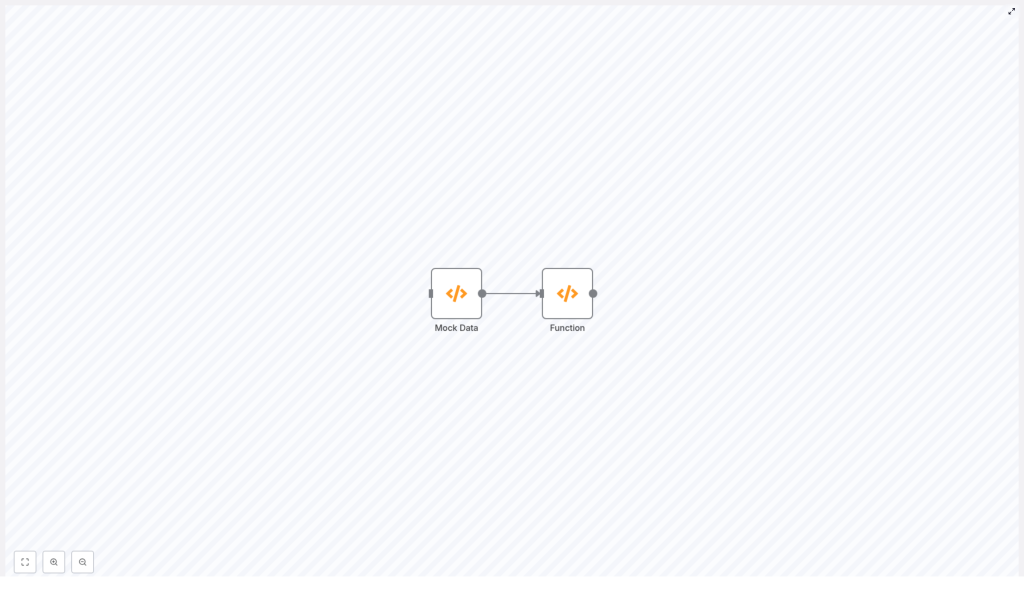
Let us start with something you can try immediately. Here is a small workflow with two nodes:
- A Mock Data Function node that outputs an array.
- A Function node that splits that array into separate items.
You can paste this JSON directly into the n8n workflow editor:
{  "nodes":[  {  "name":"Mock Data",  "type":"n8n-nodes-base.function",  "position":[550,300],  "parameters":{  "functionCode":"return [{json:[\"item-1\", \"item-2\", \"item-3\", \"item-4\"]}];"  },  "typeVersion":1  },  {  "name":"Function",  "type":"n8n-nodes-base.function",  "position":[750,300],  "parameters":{  "functionCode":"return items[0].json.map(item => {\n  return {\n  json: {\n  data:item\n  },\n  }\n});\n"  },  "typeVersion":1  }  ],  "connections":{  "Mock Data":{"main":[[{"node":"Function","type":"main","index":0}]]}  }
}
After you paste it in, run the workflow and look at the output of the Function node. You will see that one array has been turned into four separate items.
What the Function node is actually doing
Let us unpack the important part, which is the Function node code:
return items[0].json.map(item => {  return {  json: {  data: item  },  }
});
Here is how this works in n8n’s context:
itemsis an array that holds all incoming items to the Function node.- Each entry in
itemsis an object with at least one property:json, where your data lives.
In the mock setup, the previous node returns a single item that looks like this:
{  json: ["item-1", "item-2", "item-3", "item-4"]
}
The code then does the following step by step:
items[0]– grab the first (and here, only) item coming into the node..json– access the JSON payload, which in this example is the array itself..map(...)– loop over that array and transform each element into a new n8n item.- Inside the map, we return an object with a
jsonproperty, because n8n expects every item to have that shape.
So for each array value, you end up with a new item like this:
{ json: { data: 'item-1' } }
All of those new items are returned as an array, and n8n treats each one as a separate item moving forward.
What the output looks like
Run the sample workflow and inspect the Function node output. You should see:
[  { json: { data: 'item-1' } },  { json: { data: 'item-2' } },  { json: { data: 'item-3' } },  { json: { data: 'item-4' } }
]
Now every element is ready to be processed individually by any node that expects a single payload, such as HTTP Request, Send Email, or a database node.
When to use this pattern in real workflows
This little trick shows up in all kinds of real-world automations. Some common scenarios:
- CSV imports A CSV parser or import node returns all rows as one array. You split each row into its own item so you can validate, transform, and insert rows one by one into your database.
- Webhooks with multiple events Many services batch events into a single webhook payload. By splitting that array, each event can trigger its own processing chain, error handling, and logging.
- Bulk email sending You receive an array of email addresses or recipients. Splitting them lets you send personalized messages to each recipient using the Send Email node.
If you ever see “array of things” in your input and want to treat each “thing” separately, this Function node pattern is what you are looking for.
Variations and improvements you will probably need
The basic split is handy, but in real workflows you often need a bit more control. Here are some common tweaks.
1. Keeping original metadata around
Often the original item has useful fields like id, source, or other metadata that you do not want to lose when you split the array. In that case, you can copy those fields into every new item.
const original = items[0].json;

return original.arrayField.map(element => ({  json: {  data: element,  id: original.id,  source: original.source,  }
}));
Here:
original.arrayFieldis the array you want to split.- Each new item keeps
idandsourcefrom the original, so you always know where it came from.
2. Handling multiple incoming items, each with its own array
Sometimes the Function node receives many items, and each of those items contains an array you want to split. In that case, you will want to:
- Loop over each incoming item.
- Split that item’s array.
- Flatten all the results into one big list of items.
Here is a pattern that does exactly that:
let result = [];

for (const it of items) {  const arr = it.json.myArray || [];  result = result.concat(  arr.map(el => ({  json: {  data: el,  originId: it.json.id,  }  }))  );
}

return result;
What is going on here:
for (const it of items)loops through every incoming item.const arr = it.json.myArray || []safely reads the array, defaulting to an empty array if it is missing.originIdkeeps a reference to the original item’sid, which is super helpful for tracing and debugging.
3. Filtering, transforming, or enriching elements while you split
You do not have to just copy values as is. Because you are inside a Function node, you can use normal JavaScript to shape the data exactly how you want.
Some ideas:
- Filter out elements you do not want to process, for example invalid emails or records missing required fields.
- Transform values, such as trimming strings, converting dates, or normalizing case.
- Enrich each element with extra fields like timestamps, lookups, or configuration values.
For example, you might filter and transform inside map, or use filter before mapping. The key point is that you can do all of this as you split the array into items.
4. Working with large arrays – batching strategies
If you are dealing with arrays that have hundreds or thousands of elements, splitting everything into individual items in one go can be heavy on memory and processing.
Two common strategies help here:
- Batch the array into groups Instead of creating one item per element, you group elements into chunks, for example 50 per item. You process each batch, and only split further if needed later in the workflow.
- Paginate or stream at the source If the API or source system supports pagination or streaming, request smaller chunks instead of one massive array. That keeps your workflow lighter and more responsive.
The exact batching code will depend on your use case, but the concept is the same: control how many items you create at once so your workflow stays efficient.
Debugging tips for array splitting in n8n
If things do not behave the way you expect, here are a few quick checks that often solve the problem:
- Inspect the input and output in Executions Open the Executions view and look carefully at what the Function node receives and returns. Confirm where the array actually lives, and what the structure is.
- Always return objects with a
jsonfield n8n expects each item to look like{ json: { ... } }. If you return plain values like'item-1'or[1, 2, 3]without wrapping them in{ json: ... }, you will run into errors. - Add guards for missing or nested properties If a property might not exist or is nested differently than you think, use safe access patterns. For example:
const arr = items[0]?.json?.myArray || [];This prevents the Function node from failing when the property is missing.
Most issues come down to “I thought the data was here, but it is actually over there.” Once you confirm the exact structure, the splitting logic usually falls into place.
Complete example: preserve metadata and add a timestamp
To pull everything together, here is a more realistic Function node example. It:
- Reads an original item that has
recipientsandsource. - Splits
recipientsinto separate items. - Adds a timestamp to each new item so you know when it was processed.
const original = items[0].json;
const arr = original.recipients || [];

return arr.map(recipient => ({  json: {  recipient,  source: original.source,  importedAt: new Date().toISOString()  }
}));
This is a great pattern for things like email imports, contact lists, or any workflow where you want to keep context and track when each element was handled.
Putting it all together
Splitting arrays into separate items with an n8n Function node is one of those small techniques that has a big impact. Once you know how to do it, you can:
- Turn “one big array” into clean, individual items.
- Leverage n8n’s per-item processing, logging, and retry behavior.
- Handle single-array inputs, multiple items with arrays, and even large datasets with batching.
If you want to see it in action right away, copy the sample template into your n8n instance, run it, and explore the Function node output. Then swap in your own data source, whether that is CSV, a webhook, or an external API.
Call to action: Try this pattern in one of your existing workflows today, and see how much cleaner your logic becomes. If you are looking for more n8n automation tips and best practices, subscribe to our newsletter so you do not miss future guides.
